
Smooth Check-in

By registering in advance with our dedicated app (NEC Smooth Check-in), you can enjoy a speedy check-in process.
How to Use
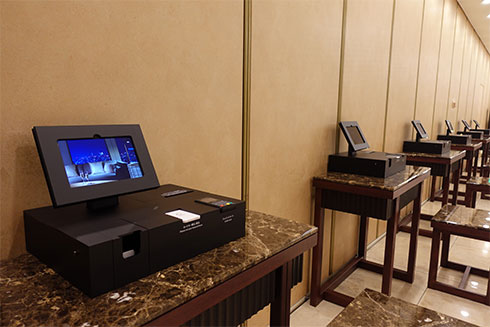
- After completing your accommodation reservation, please download the "NEC Smooth check-in" app and register your information in advance.
- After arriving at the hotel, check in at the self-check-in tablet (terminal) in the lobby using either “facial recognition” or “QR code.”
- After payment, your room key will be issued.
(If payment is made in advance, no payment will be required at check-in.)
About “NEC Smooth Check-in” App
Please download the app on your smartphone or tablet and register your customer information.
- You can link your guest information and hotel reservation information on the app from three days prior to your arrival.
- When linking reservation information, the reservation number issued at the time of booking will be required.
Information
- Depending on your reservation details, plan contents, and the cleaning status at the time of your arrival, there may be cases where the Smooth Check-in Service cannot be used.
- We only accept credit card payments or payments via some QR codes.
Reservations & Inquiries
- Contact Us
- TEL.+81-3-3344-0111
- Accommodation Reservation
- TEL.+81-3-5322-8000(Direct for reservations)
Reception hours: Weekdays (excluding New Year's holidays) 9:30 a.m. – 8:00 p.m.
Saturdays, Sundays, and holidays 9:30 a.m. – 7:00 p.m.